
Leica AT960 Laser Tracker Setup Guide
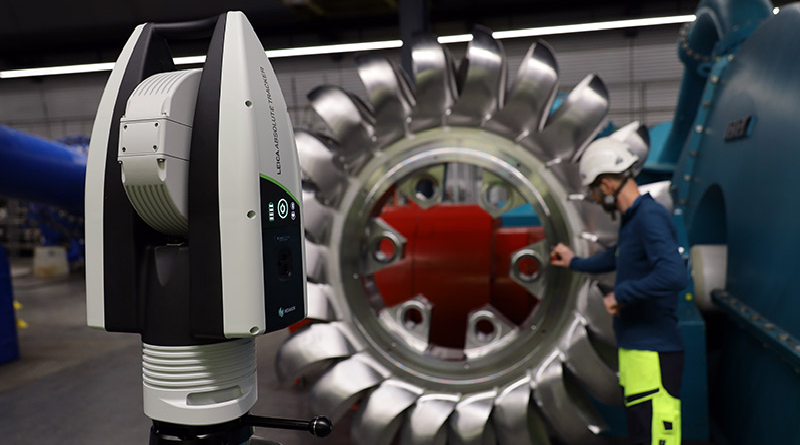
Welcome to your Leica Absolute AT960 Tracker setup guide. Whether you’ve just received your new AT960 Tracker or are reconnecting your system, this guide will walk you through unboxing, mounting, connecting, and launching your Tracker withTracker Pilot software.
This resource contains:
- What’s included with your Leica Absolute AT960 Tracker
- Step-by-step setup instructions
- Online training resources (Leica AT9X0 Tracker Pilot)
- Documentation checklist
- Support references
What's included with your AT960 Laser Tracker
Youre Leica Absolute Tracker AT960 should include and inventory list. If any components or documentation are missing, please contact Productivity Quality for support.
AT960 Tracker
- Quick release mount
- Cleaning kit
- Reflector storage box
- Power brick and cable
- Cable storage
- AT960 controller
T-Probe (optional)
- Stylus compensation tool
- Battery
- Battery charger
- T-Probe stylus
- Stylus and extension storage
AS1/AS1XL (optional)
- AP21 Positioner
- Reference sphere
- Positioner/scanner stand
- Cable storage
- Scanner controller
Video Guide
Our video walkthrough demonstrates the proper handling, mounting, cable connection, and initial startup to ensure appropriate installation.
Laptop & Software Setup
- Connect the AT960 to your computer
- Open a web broswer
- Type "192.168.0.1" into the browser and search
- Click "Tracker Pilot" to download
- Run Tracker Pilot and connect to your Tracker
Available Online Training: Leica AT960 Online Courses
Support
You can contact Productivity Quality at 763-249-8130 for setup, troubleshooting, and programming support or you can open a support ticket with Hexagon directly. We also recommend utilizing Hexagon’s Nexus platform for hardware and software support.